

How to Use Audio Panning: Techniques to Enhance Song Quality in Music Production
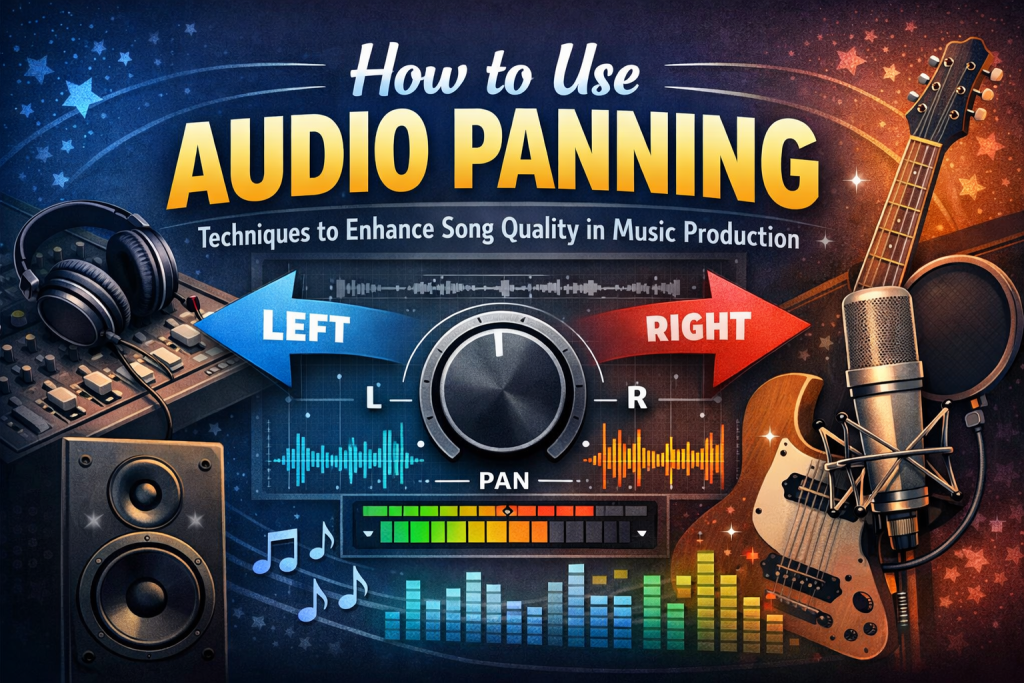
How to Use Audio Panning: Techniques to Enhance Song Quality in Music Production
Audio panning is one of the most powerful — yet often overlooked — tools in music production. By placing sounds across the stereo field, you can create width, depth, clarity, and movement that transform a flat mix into an immersive listening experience. Whether you’re producing pop, hip‑hop, EDM, rock, or cinematic music, mastering panning is essential for crafting professional‑sounding tracks.
This guide walks you through the fundamentals, creative techniques, and advanced methods for using audio panning effectively.
History of Audio Panning
Panning emerged with the rise of stereo sound in the early 20th century. Classical engineers used it to mimic the natural placement of orchestral sections in a concert hall. As recording technology evolved, panning became a creative tool in modern music — from the wide psychedelic mixes of the 1960s to today’s immersive, spatial productions.
Basic Concepts of Audio Panning
Before diving into techniques, it’s important to understand the basics:
Mono vs. Stereo
- Mono: One audio channel
- Stereo: Two channels (left and right), creating a sense of space
The Pan Knob
This control determines where a sound sits in the stereo field:
- Center – strong, focused, stable
- Left/Right – creates width and separation
Panning helps prevent frequency clashes and gives each element its own space.
Benefits of Audio Panning in Music
1. Enhanced Spatial Perception
Panning spreads instruments across the stereo field, making the mix feel wider and more immersive.
2. Reduced Muddiness
Separating elements prevents them from fighting for the same sonic space.
3. Improved Clarity
Panning helps listeners distinguish individual instruments and layers.
4. More Dynamic Listening Experience
Movement across the stereo field adds excitement and emotional impact.
Tools for Audio Panning
Every DAW includes built‑in panning controls:
- Ableton Live
- Logic Pro
- FL Studio
- Pro Tools
- Studio One
For creative panning, plugins like Soundtoys PanMan, Waves S1, or auto‑panners can add motion and stereo enhancement.
Panning Techniques for Instruments
Drums
Recreate the natural layout of a drum kit:
- Kick: center
- Snare: center
- Hi‑hats: slightly left or right
- Toms: spread across the stereo field
- Overheads: wide for realism
Guitars and Synths
- Double‑track guitars and pan left/right for width
- Pan synth layers to create a wide, modern sound
Bass
Bass is almost always centered to maintain power and stability.
Vocal Panning Techniques
Lead Vocals
- Keep centered for clarity and focus
Background Vocals
- Pan left/right to create width
- Use subtle panning on doubles for depth
- Spread harmonies to frame the lead vocal
This creates a full, polished vocal arrangement.
Creative Panning Techniques
Auto‑Panning
Automatically moves a sound across the stereo field:
- Great for pads, percussion, FX, and synths
- Adds motion and interest
Panning Automation
Manually automate panning over time:
- Create movement in transitions
- Add excitement in drops or breakdowns
- Make FX swirl around the listener
Ping‑Pong Delay
A delay that bounces left and right:
- Perfect for atmospheric elements
- Adds rhythmic stereo movement
Common Mistakes in Panning
1. Over‑Panning
Pushing everything hard left or right can make the mix feel disconnected.
2. Ignoring Mono Compatibility
Extreme panning can cause elements to disappear in mono playback.
3. Unbalanced Stereo Image
If one side feels heavier, the mix becomes lopsided.
Balance is key.
Advanced Audio Panning Techniques
LCR Panning (Left‑Center‑Right)
A minimalist approach:
- Elements are placed strictly left, center, or right
- Creates clarity and strong separation
Frequency‑Based Panning
- Low frequencies stay centered
- Higher frequencies can be spread wide
This maintains power while enhancing width.
Panning for Different Genres
Rock/Pop
- Wide guitars
- Centered vocals and drums
- Balanced stereo image
Electronic Music
- Creative panning for synths and FX
- Auto‑panning for movement
Classical/Jazz
- Natural, realistic placement
- Mimics live performance spaces
Surround Sound and 3D Panning
Modern production tools allow full 360‑degree placement:
- Dolby Atmos
- Ambisonics
- VR/AR audio
These techniques create immersive, cinematic soundscapes.
The Role of Panning in Live Sound
Live engineers must consider:
- Venue acoustics
- Audience position
- Speaker placement
Panning must be subtle to ensure everyone hears a balanced mix.
Mastering with Panning Considerations
During mastering:
- Ensure stereo width translates across systems
- Avoid overly wide mixes
- Check mono compatibility
A balanced stereo image ensures your track sounds great everywhere.
Final Thoughts on Panning
Audio panning is one of the most effective ways to enhance clarity, depth, and emotional impact in your music. By understanding the stereo field and using panning intentionally — not just as an afterthought — you can create mixes that feel wide, immersive, and professional.
With practice, your ear will naturally learn where each element belongs, helping you craft mixes that captivate listeners from the first note.
FAQs
1. How do I know if I’ve panned too much?
If your mix feels unbalanced or elements sound isolated, you may have over‑panned. Aim for cohesion and symmetry.
2. What tools should beginners use for audio panning?
Start with your DAW’s built‑in pan knobs. Plugins like PanMan or Waves S1 are great for creative panning.
3. How does panning affect vocals and instruments?
Panning separates elements, reduces muddiness, and helps each part sit clearly in the mix.
4. Are there genre‑specific panning rules?
Genres have norms, but panning is ultimately creative. Experiment to find what suits your track.
5. How can I get better at panning creatively?
Study professionally mixed tracks and experiment with automation, auto‑panning, and stereo effects.
6. Does panning affect mastering?
Yes — overly wide mixes can cause issues in mono playback. Mastering engineers ensure your stereo image translates well.
Further Reading:
Resources to help you go deeper
- grab your copy of Build a Studio That Loves You Back
- learn more in Music Production Mastery
- dive deeper with Pet Peeves of a Bedroom Producer
- explore Anti-Perfectionist’s Guide to Mixing
- check out Emotional Architecture of Home Studios
