

Essential Components for a Beginner’s Home Studio Setup
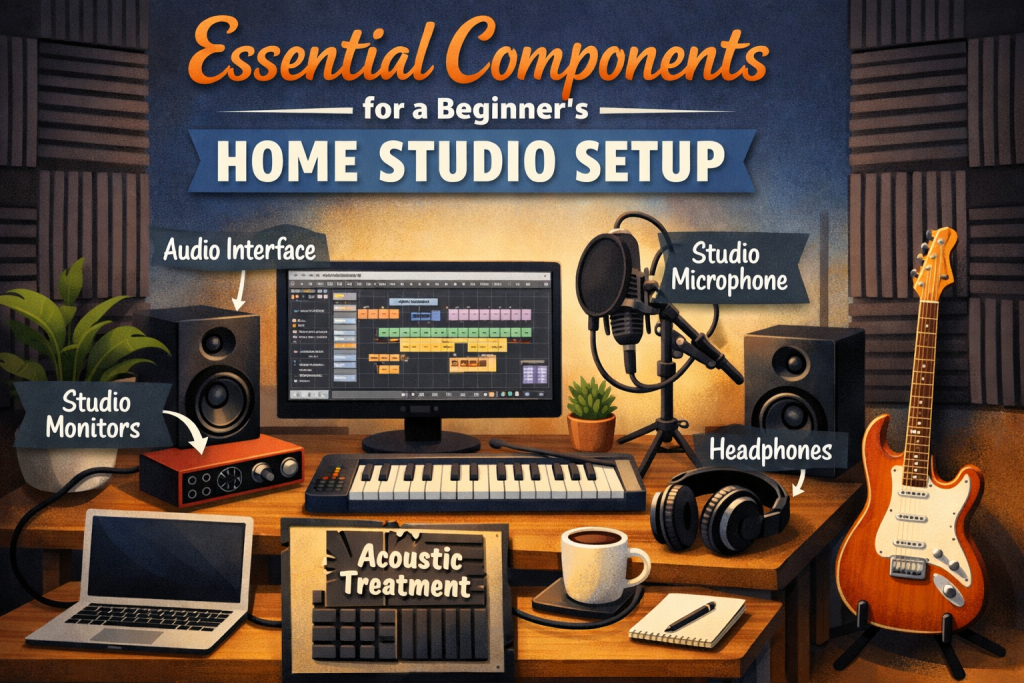
Essential Components for a Beginner’s Home Studio Setup
What do you actually need to set up a beginner home studio?
Building a beginner home studio doesn’t have to be complicated or expensive — you only need a few essential pieces of gear and a comfortable space to start recording and producing music at home. Instead of getting lost in technical jargon or endless equipment lists, focusing on the core tools will give you a functional, inspiring setup that supports your creativity from day one. This guide breaks down the must‑have components for a beginner’s home studio and shows you exactly what you need to get started without overwhelm or unnecessary spending.
Starting your own home studio is one of those quietly life‑changing moments. It’s the point where your musical ideas stop living only in your head and start becoming something you can record, shape, and share. But if you’re new to music production, the gear world can feel like a maze — full of jargon, expensive options, and conflicting advice.
This guide is designed to remove all of that pressure.
You don’t need a wall of equipment. You don’t need to spend thousands of dollars. You don’t need to understand every technical term.
You just need a few essential pieces of gear, a bit of curiosity, and a space where you feel comfortable creating. Think of this as a beginner‑friendly roadmap — one that keeps things simple, clear, and emotionally safe while still giving you everything you need to build a functional, inspiring home studio.
Let’s walk through each component, why it matters, and how to choose the right version for your budget and goals.
1. Your Computer: The Heart of Your Home Studio
If your home studio were a band, your computer would be the drummer — the one quietly holding everything together. It runs your DAW, your plugins, your virtual instruments, and all the behind‑the‑scenes processing that makes recording possible.
What You Actually Need (Beginner‑Safe Specs)
You don’t need a gaming PC or a top‑tier MacBook. You just need a machine that can handle audio without freezing or lagging.
Look for:
- Intel i5 / AMD Ryzen 5 or higher
- At least 8GB RAM (16GB is noticeably smoother)
- SSD storage (this makes everything load faster)
If you’re choosing between upgrading RAM or buying a faster processor, go with RAM. It has the biggest impact on how smooth your sessions feel.
Beginner reassurance
You can make professional‑sounding music on a modest computer. Your creativity matters more than your specs.
2. Your DAW: The Place Where Your Music Comes to Life
A DAW (Digital Audio Workstation) is simply the software where you record, edit, arrange, and mix your music. Think of it as your musical canvas.
Beginner‑Friendly DAWs
Each DAW has its own personality. Choose the one that feels intuitive to you.
- GarageBand (Mac) — free, simple, and surprisingly powerful
- FL Studio — great for beat‑making, loops, and electronic music
- Ableton Live — flexible, creative, and amazing for performance
- Logic Pro — professional features at a beginner‑friendly price
- Pro Tools — the industry standard for recording and mixing
There’s no “best” DAW — only the one that fits your workflow.
Beginner reassurance
You’re not locked in forever. You can switch DAWs later as your skills grow.
3. Audio Interface: The Bridge Between the Real World and Your Computer
Your audio interface is the device that lets you plug in microphones, guitars, keyboards, and other instruments. It converts analog sound into digital audio your computer can understand.
What to Look For
- At least 2 inputs (one for a mic, one for an instrument)
- A headphone output
- Low‑latency performance (so you don’t hear a delay when recording)
Beginner‑Friendly Interfaces
- Focusrite Scarlett 2i2
- PreSonus AudioBox USB
These are reliable, affordable, and perfect for beginners.
Beginner reassurance
A good interface doesn’t make your music “better” — it makes recording easier, cleaner, and less frustrating.
4. Studio Monitors: Honest Speakers for Honest Mixing
Studio monitors are different from regular speakers. They’re designed to give you a true, uncolored version of your sound so you can make accurate mixing decisions.
Beginner‑Friendly Options
- Yamaha HS5 — clean, clear, and trustworthy
- KRK Rokit 5 — warm, punchy, and beginner‑friendly
You don’t need huge monitors. Small ones are perfect for small rooms.
Beginner reassurance
If monitors feel too expensive right now, start with good headphones. You can add monitors later.
5. Studio Headphones: Your Late‑Night, Detail‑Focused Companion
Headphones are essential for recording vocals, editing details, and working quietly.
Two Types You Should Know
- Closed‑back headphones — great for recording because they don’t leak sound
- Open‑back headphones — great for mixing because they sound more natural
Beginner‑Friendly Choices
- Audio‑Technica ATH‑M50X
- Sony MDR‑7506
Both are durable, accurate, and widely used by beginners and professionals.
Beginner reassurance
You don’t need both types right away. Start with closed‑back headphones — they’re more versatile.
6. Microphone: Your Voice, Captured Clearly
A good microphone helps you record vocals, acoustic instruments, and even sound effects with clarity and warmth.
Best Type for Beginners
- Condenser microphones — sensitive, detailed, and perfect for vocals
Beginner‑Friendly Models
- Audio‑Technica AT2020
- Rode NT1‑A
Both deliver professional clarity without requiring a professional budget.
Beginner reassurance
You don’t need a $500 microphone to sound good. Technique and room setup matter more than price.
7. MIDI Controller: Your Gateway to Virtual Instruments
If you want to play virtual pianos, synths, strings, drums, or any other digital instrument, a MIDI controller makes it easy.
Beginner‑Friendly Options
- Novation Launchkey Mini
- Akai MPK Mini
These compact controllers are perfect for small spaces and simple songwriting.
Beginner reassurance
You don’t need to be a pianist. MIDI controllers are for clicking, experimenting, and discovering sounds.
8. Pop Filter: A Small Tool That Makes a Big Difference
A pop filter sits between your mouth and the microphone. Its job is to soften harsh “p” and “b” sounds so your vocal recordings stay clean.
Beginner Tip
Even a $10 pop filter works beautifully. Just place it a few inches in front of your mic.
Beginner reassurance
This is one of the cheapest upgrades with the biggest impact on vocal quality.
9. Microphone Stand: Stability for Better Sound
A good mic stand keeps your microphone steady and positioned correctly.
Recommended
- K&M Microphone Stand — sturdy, adjustable, and long‑lasting
Beginner reassurance
A wobbly stand can ruin takes. A solid one makes recording feel easier and more professional.
10. Cables: The Quiet Heroes of Your Setup
Cables aren’t glamorous, but they’re essential.
You’ll need:
- XLR cables for microphones
- TRS/TS cables for instruments and monitors
Beginner Tip
Reliable brands like Mogami or Planet Waves help reduce noise and interference.
Beginner reassurance
You don’t need expensive cables — just ones that won’t break or buzz.
11. Acoustic Treatment: The Secret Ingredient for Better Sound
Acoustic treatment isn’t about decorating your room with foam. It’s about shaping how sound behaves in your space.
Start With
- Acoustic panels — reduce reflections
- Bass traps — control low‑end muddiness
- Diffusers — scatter sound for a more natural feel
Budget Tip
DIY acoustic panels are surprisingly effective and affordable.
Beginner reassurance
You don’t need a “perfect” room. Even a few panels can dramatically improve your recordings.
12. External Hard Drive: Protect Your Music
Music projects take up a lot of space. An external drive keeps your computer running smoothly and protects your work.
What to Look For
- SSD external drive
- Reliable brands like Samsung or SanDisk
Beginner reassurance
Backups aren’t optional. Losing a project hurts more than buying a drive.
Putting It All Together: Your Beginner‑Friendly Studio Blueprint
Here’s the simplest way to think about your home studio:
- Computer — the brain
- DAW — the workspace
- Audio interface — the translator
- Microphone + pop filter + stand — your voice
- Headphones / monitors — your ears
- MIDI controller — your instrument
- Cables + acoustic treatment — your foundation
- External drive — your safety net
You don’t need everything at once. You don’t need the “best” version of anything. You just need a setup that supports your creativity.
Final Thoughts: Your Home Studio Is a Beginning, Not a Test
Building a home studio isn’t about gear — it’s about giving yourself permission to create. Every musician starts somewhere, and the most important thing you can do is begin with what you have and grow from there.
You’re not behind. You’re not under‑equipped. You’re not doing it wrong.
You’re building a space where your ideas can breathe.
Set up your corner, plug in your gear, hit record, and let your creativity lead the way.
Further Reading:
Resources to help you go deeper
- dive deeper with The Musician’s Marketing Playbook
- check out Vulnerable Creator’s Marketing Playbook
- grab your copy of Pitch Yourself Without Cringing
- explore Build a Brand That Feels Like You