

Mastering Time Management: Creating a Simple Content Calendar in One Hour
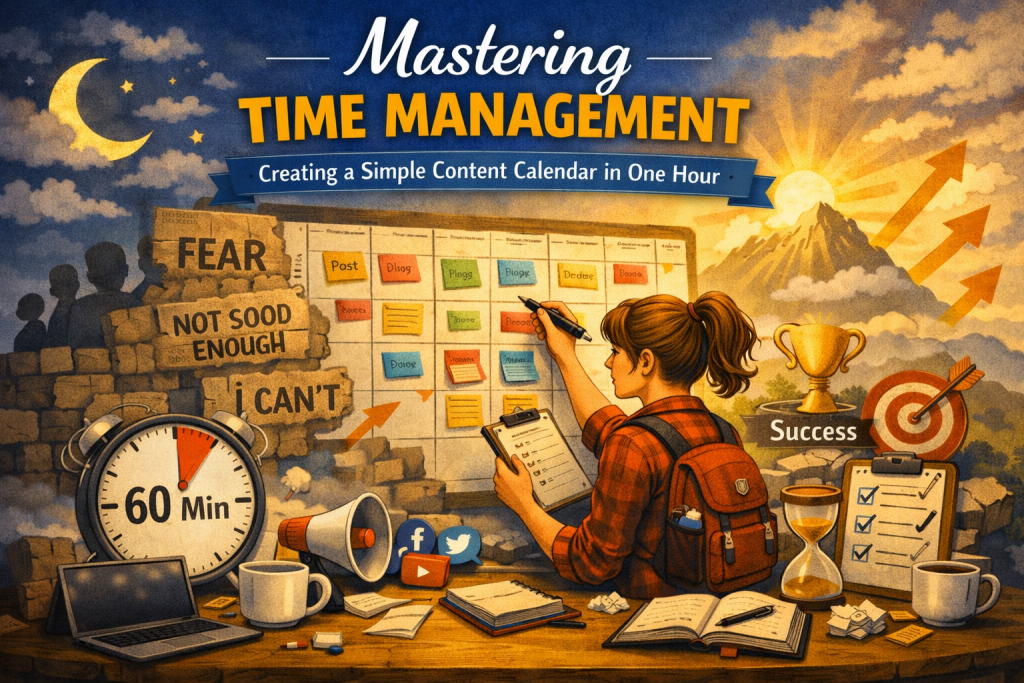
Mastering time management as a creator becomes much easier when you treat your content calendar as a strategic anchor rather than a chore.
Mastering Time Management: Creating a Simple Content Calendar in One Hour
Time management is one of the most valuable skills a content creator can develop. Whether you’re building a brand, growing an audience, or simply trying to stay consistent, the ability to plan your content effectively determines how smoothly your creative process runs. Without a plan, even the most inspired creators end up scrambling, missing opportunities, or burning out.
A content calendar is the antidote to chaos. It gives you a clear roadmap for what you’re creating and when, helping you stay organized, consistent, and productive. And the best part? You don’t need a complicated system or hours of planning. With a focused approach, you can build a functional, flexible content calendar in just one hour.
This guide walks you through the process step‑by‑step, while also exploring the deeper benefits of planning, the psychology behind consistency, and the habits that make your calendar sustainable.
Why a Content Calendar Matters
A content calendar is more than a schedule—it’s a strategic tool that supports your creative goals. When you plan ahead, you reduce stress, eliminate guesswork, and free up mental space for creativity.
A well‑designed content calendar helps you:
- Stay consistent across platforms
- Avoid last‑minute scrambling
- Align content with launches, seasons, and trends
- Maintain a balanced mix of topics and formats
- Track progress and measure performance
- Build trust with your audience through reliability
Consistency is one of the strongest predictors of long‑term growth. A calendar makes consistency achievable.
Step 1: Set Clear Goals
Before you begin planning, define the purpose behind your content. Goals act as the compass for your calendar—they determine what you create, how often you post, and which platforms you prioritize.
Clarify:
- What you want your content to achieve
Are you trying to educate, entertain, inspire, or sell? Are you building authority, nurturing community, or driving traffic? - Who your target audience is
What do they care about? What problems do they have? What formats do they prefer? - What themes or topics matter most to them
These become the pillars of your content strategy.
Your goals shape every decision you make in your calendar. Without them, you’re just filling space.
Examples of Clear Content Goals
- Grow your email list by 20%
- Increase engagement on Instagram
- Drive traffic to your blog
- Build authority in your niche
- Support an upcoming product launch
Once your goals are set, your calendar becomes a tool for achieving them—not just a list of tasks.
Step 2: Choose a Platform
Your content calendar should live in a tool that feels natural to use. The best platform is the one you’ll actually stick with.
Popular options include:
- Google Sheets — simple, flexible, easy to update
- Trello — visual, card‑based organization with drag‑and‑drop ease
- Excel — structured, customizable, ideal for detailed planning
- Notion — powerful, all‑in‑one workspace with templates
- Airtable — database‑style planning with views and filters
Choose the platform that matches your workflow. If you prefer visual planning, Trello or Notion might be ideal. If you like spreadsheets, Google Sheets or Excel will feel intuitive.
The goal is not perfection—it’s usability.
Step 3: Build Your Calendar Template
A simple, clean template makes planning faster and keeps everything in one place. You don’t need anything fancy. Start with the essentials:
- Date
- Content title
- Content type (blog post, video, social post, email, etc.)
- Platform (Instagram, LinkedIn, YouTube, etc.)
- Status (drafting, editing, scheduled, published)
- Notes or links to assets
This structure gives you clarity at a glance. You know what’s coming up, what’s in progress, and what needs attention.
Optional Columns for More Advanced Planning
- Keywords
- Target audience segment
- Call to action
- Campaign or theme
- Repurposing opportunities
Start simple. Add complexity only when it genuinely helps.
Step 4: Add Your Content Ideas
Now that your template is ready, it’s time to fill it with ideas. This is where creativity meets strategy.
Brainstorm ideas that align with your goals and audience. Consider:
- Seasonal events and holidays
These offer natural hooks for timely content. - Industry trends
Staying relevant builds authority. - Evergreen topics your audience always needs
These anchor your content strategy. - Content that supports launches or campaigns
Plan backwards from important dates.
Aim for a balanced mix of formats to keep your audience engaged. Variety keeps your content fresh and prevents burnout.
Idea Sources to Spark Inspiration
- Questions your audience asks
- Comments on your posts
- Competitor content gaps
- Your own experiences and stories
- Industry news
- Personal insights or lessons learned
Once you have a list of ideas, plug them into your calendar.
Step 5: Schedule Your Content
Scheduling is where your calendar becomes a real tool rather than a list of ideas. Assign dates to each piece of content, including:
- Draft deadlines
- Editing or review windows
- Final publish dates
This structure helps you stay accountable and maintain a consistent posting rhythm.
How to Choose Your Posting Frequency
Your frequency should match your capacity—not your ambition.
- If you’re new, start with once a week.
- If you’re comfortable, try two to three times a week.
- If you’re managing multiple platforms, stagger your posts.
Consistency beats intensity every time.
Batch Scheduling for Efficiency
Batching similar tasks—like writing captions, designing graphics, or filming videos—saves time and reduces mental switching costs. Your calendar helps you batch strategically.
Step 6: Review and Adjust
A content calendar is a living document. It evolves as your goals shift, your audience grows, and your creative energy fluctuates.
Revisit it regularly to:
- Track progress
- Adjust based on performance
- Add new ideas as inspiration strikes
- Remove content that no longer fits
- Shift dates when life gets busy
Flexibility keeps your calendar useful rather than overwhelming.
Signs Your Calendar Is Working
- You feel less stressed
- You always know what to create next
- You’re posting consistently
- You’re hitting your goals
- You have space for creativity instead of scrambling
A good calendar supports you—it doesn’t control you.
Staying Organized and Consistent
With clear goals, the right tools, and a simple structure, you can build a content calendar in one hour that saves time, reduces stress, and improves the quality of your content. A well‑maintained calendar becomes the backbone of a sustainable creative workflow.
It helps you show up consistently, stay aligned with your goals, and create with intention rather than urgency.
As you refine your system, what type of content do you want your calendar to prioritize next—educational, storytelling, promotional, or a blend of all three?
