

Maximizing Your Blog Post: A Guide to Creating Multiple Social Media Assets
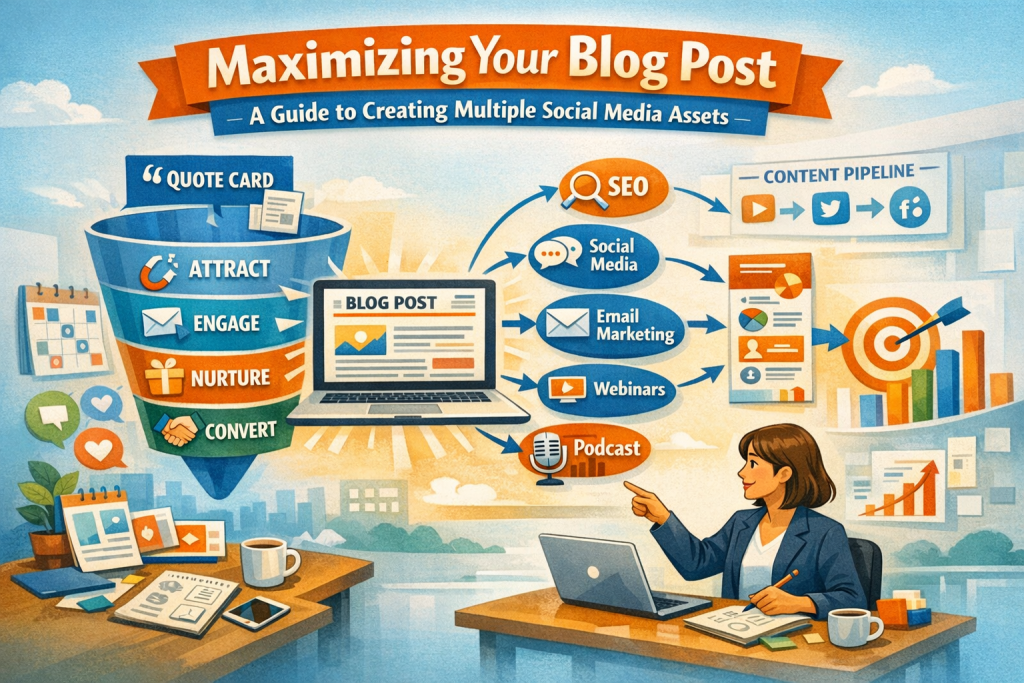
A single blog post is a dense, high‑value asset—packed with insights, examples, frameworks, and phrasing that can be reshaped into dozens of social media pieces. When you repurpose intentionally, you multiply the number of ways people can encounter your ideas, deepen your authority through repetition, and dramatically extend the lifespan of your work. A blog post becomes not just a one‑time publication, but the foundation of an entire content ecosystem.
Why Repurposing Expands Your Reach
A blog post is long‑form thinking. It contains nuance, structure, and depth—qualities that don’t always translate directly to fast‑moving social platforms. Repurposing bridges that gap by transforming your ideas into formats that match how people consume content across different channels.
- Pinterest rewards visual discovery.
- Instagram and Facebook reward community interaction and shareability.
- LinkedIn rewards narrative depth and professional insight.
- Twitter rewards brevity and punchy takeaways.
Each platform becomes a doorway back to your original article. Instead of relying on one format to do all the work, you create multiple entry points—each tailored to a specific audience behavior.
Repurposing isn’t redundancy. It’s strategic amplification.
Turning a Blog Post into High‑Performing Visual Assets
Visual content is often the most shareable and highest‑performing category of repurposed material. It communicates quickly, stands out in crowded feeds, and gives your audience a snapshot of the value inside your full post.
What makes a strong visual asset?
- A clear headline or pull‑quote that captures the core idea.
- A simple, uncluttered layout that highlights one message.
- Consistent branding—colors, fonts, and style that make your work recognizable.
- A callout or URL pointing viewers to the full article.
These visuals work especially well on Instagram, Pinterest, and LinkedIn, where users expect polished, shareable content.
Visual formats you can create from one blog post
- Quote graphics
- Key‑takeaway cards
- Mini‑infographics
- Step‑by‑step process visuals
- Before/after or problem/solution graphics
- Carousel slides (more on these later)
Each visual becomes a teaser that sparks curiosity and drives traffic back to your blog.
Crafting Captions That Spark Curiosity and Click‑Throughs
A caption is the bridge between the visual and the click. It doesn’t need to summarize the entire post—in fact, it shouldn’t. Its job is to create tension, intrigue, or resonance.
Effective captions often:
- Highlight a misconception your post corrects.
- Offer a single actionable takeaway that feels immediately useful.
- Ask a reflective question that encourages comments.
- Frame the problem your blog post solves.
- Point clearly to the full article for deeper context.
A strong caption doesn’t give everything away. It opens a loop your audience wants to close by reading the full post.
Extracting Micro‑Content for Fast Platforms
Short‑form platforms thrive on bite‑sized ideas. A single blog post can yield dozens of micro‑assets that stand alone while still pointing back to the larger article.
Micro‑content formats include:
- One‑sentence insights
- Numbered tips
- Definitions
- Short reflections
- “Did you know?” statements
- Mini‑rants or myth‑busting lines
- Quick prompts or questions
Why micro‑content works
- It reduces cognitive load.
- It encourages sharing.
- It builds authority through repetition.
- It keeps your content circulating long after publication.
This is especially effective on Twitter, Facebook, and LinkedIn, where short, punchy ideas perform well.
Converting Your Blog Post into Video or Slideshow Formats
Video and slideshows allow you to reframe your blog post as a guided experience. Instead of reading, your audience watches or listens—opening the door to new engagement patterns and new audiences.
Video formats you can create:
- A short video summarizing the main points
- A narrated slideshow breaking down the structure of the post
- A step‑by‑step walkthrough of a process described in the article
- A “three key insights” video for LinkedIn or YouTube
- A behind‑the‑scenes explanation of why you wrote the post
Why video works
- It builds trust through voice and presence.
- It reaches people who prefer auditory or visual learning.
- It performs well across nearly every platform.
Slideshows (especially on LinkedIn and Instagram) are also powerful because they encourage swiping—boosting engagement and increasing time spent on your content.
Using Live Sessions to Deepen Connection
Live sessions transform a static blog post into a conversation. They allow you to expand on ideas, answer questions, and build rapport with your audience in real time.
A strong live session often includes:
- A brief overview of the blog post
- Expanded insights not included in the article
- Time for audience questions
- A reminder to read or share the full post
Lives create urgency and community—two things that deepen engagement and strengthen your authority.
Leveraging Carousel Posts for Layered Storytelling
Carousel posts are ideal for breaking a blog post into a sequence of ideas. Each slide becomes a chapter, guiding the viewer through a structured mini‑journey.
Why carousels work
- They encourage swiping, which boosts engagement.
- They allow deeper explanation without overwhelming a single image.
- They create a narrative arc that mirrors your blog post.
- They offer multiple opportunities for saving and sharing.
Carousels are particularly strong on Instagram and Facebook, where multi‑slide content performs exceptionally well.
Carousel ideas you can create from one blog post
- “5 key takeaways”
- “3 mistakes to avoid”
- “A step‑by‑step breakdown”
- “Before/after transformation”
- “A mini‑framework or model”
Each slide becomes a self‑contained insight, but together they tell a cohesive story.
Building a System That Makes Repurposing Sustainable
Repurposing becomes effortless when you treat each blog post as a content hub. Instead of creating assets ad‑hoc, you build a repeatable workflow that turns one piece of writing into a month of social media content.
A simple repurposing workflow:
- Identify the core message of the blog post.
- Extract 5–10 key insights that can stand alone.
- Assign each insight to a format—graphic, caption, micro‑content, video, carousel.
- Schedule distribution across platforms over several weeks.
- Track performance to refine future repurposing.
This system ensures your content works harder for you, not the other way around.
Why this system matters
- It reduces the pressure to constantly create from scratch.
- It increases consistency across platforms.
- It helps you build a recognizable brand voice.
- It ensures your best ideas get the visibility they deserve.
A single blog post can easily become 20–40 pieces of content when repurposed well.
Bringing It All Together
Repurposing isn’t about squeezing content dry—it’s about expanding its impact. A blog post is a rich, layered asset, and when you translate it into multiple formats, you meet your audience where they already are. You increase discoverability, deepen authority, and create a cohesive ecosystem of ideas that reinforce one another.
The more you repurpose, the more you realize that your blog isn’t the end of your content—it’s the beginning.
As you look at your current blog posts, which format feels like the most natural next step for you—graphics, micro‑content, video, or carousels?
