

Understanding Microphone Feedback and How to Avoid It
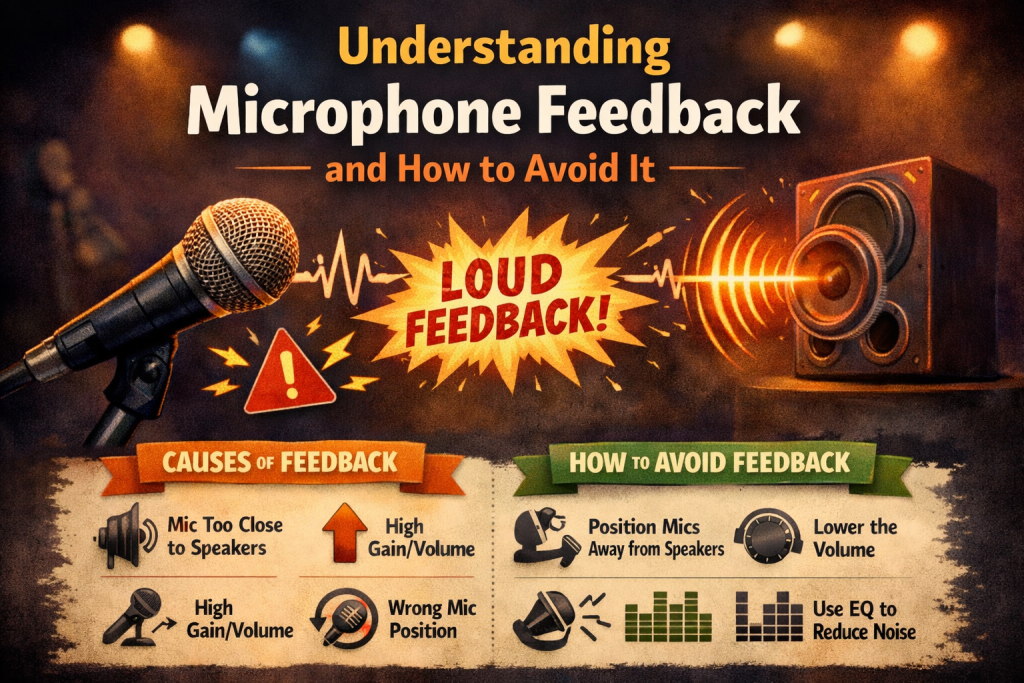
Understanding Microphone Feedback and How to Avoid It
Microphone feedback is one of the most common — and most frustrating — audio issues faced by musicians, speakers, and sound engineers. That piercing screech or low rumbling hum can derail a performance, distract an audience, and leave you scrambling for a fix. The good news is that once you understand what causes feedback, you can take simple, effective steps to prevent it.
Here’s a clear guide to understanding microphone feedback and how to avoid it in both live and studio environments.
What Is Microphone Feedback?
Microphone feedback occurs when a microphone picks up sound from a speaker, sends it through the sound system, and then picks it up again — creating a loop. This loop amplifies itself repeatedly, resulting in the harsh, unpleasant noise we recognize as feedback.
In short: Microphone too close to speaker + high volume + sensitive settings = feedback loop.
Common Causes of Microphone Feedback
1. Proximity of Microphone to Speaker
The closer the microphone is to a speaker, the more likely it is to pick up amplified sound and feed it back into the system.
2. Microphone Gain Too High
High gain makes the microphone overly sensitive, increasing the chances of picking up unwanted sound from speakers or the room.
3. Poor Room Acoustics
Rooms with reflective surfaces — tile floors, bare walls, glass — bounce sound around, making feedback more likely.
4. Improper Speaker Placement
If speakers are pointed toward the microphone instead of the audience, feedback becomes almost inevitable.
How to Avoid Microphone Feedback
1. Position Microphones and Speakers Strategically
- Keep microphones as far from speakers as possible
- Never point a microphone directly at a speaker
- Angle speakers toward the audience, not the stage
Good positioning is the simplest and most effective way to prevent feedback.
2. Lower the Microphone Gain
Reducing gain decreases the microphone’s sensitivity, helping it focus on your voice or instrument rather than the room.
Aim for:
- clear, strong signal
- minimal ambient noise
- no clipping or distortion
3. Use a Directional Microphone
Directional mics (cardioid, supercardioid, hypercardioid) pick up sound from the front and reject sound from the sides and rear.
This reduces:
- room noise
- speaker bleed
- feedback risk
Avoid omnidirectional mics in live settings unless absolutely necessary.
4. Utilize EQ to Cut Problem Frequencies
Feedback often occurs at specific frequencies.
Using EQ, you can:
- identify the offending frequency
- “notch” it out by cutting that band
- reduce the likelihood of feedback without affecting overall tone
Graphic EQs and parametric EQs are especially useful for this.
5. Use a Feedback Eliminator
Feedback eliminators automatically detect and suppress feedback frequencies in real time.
They’re especially helpful for:
- complex live setups
- inexperienced sound operators
- unpredictable acoustic environments
6. Improve Room Acoustics
Better acoustics = less feedback.
Try adding:
- curtains
- carpets
- acoustic panels
- foam or diffusers
These reduce reflections and help control sound in the room.
7. Monitor Levels Carefully
Keep an eye on:
- microphone gain
- mixer levels
- speaker volume
If any part of the system is too loud, feedback becomes more likely.
Balanced levels = cleaner sound.
8. Perform a Thorough Sound Check
Before performing:
- test each microphone
- walk around the room with the mic
- identify “hot spots” where feedback occurs
- adjust placement, EQ, or gain as needed
A good sound check prevents surprises during the performance.
Conclusion
Microphone feedback is a common challenge, but it’s also highly preventable. By understanding what causes feedback and applying smart strategies — from proper mic placement to EQ adjustments — you can dramatically reduce or eliminate it.
With a little preparation and awareness, you can ensure a smooth, professional audio experience for both you and your audience.
